




Key Takeaways
- Mobile forex trading allows traders to monitor positions, execute orders, and manage risk from any location with an internet connection, making the 24-hour forex market genuinely accessible around the clock.
- Effective mobile trading requires a platform that delivers the full analytical toolkit, real-time pricing, order management, and account management in a mobile-optimized interface without compromising functionality.
- Fintana’s mobile app provides full access to the same 160+ CFD instruments, spread structure, stop-loss order functionality, and analytical tools available on the desktop WebTrader, ensuring no capability gap between devices.
- Mobile trading introduces specific risk management considerations including connectivity interruptions, smaller screen analytical limitations, and the temptation toward impulsive trading that must be actively managed.
- Fintana Trading Ltd is regulated by the Financial Services Commission (FSC) Mauritius under license GB23201338, and all positions, account records, and risk management tools function identically across desktop and mobile platforms.
- Fintana customer support is available 24/7 across all devices, meaning traders who encounter platform issues, need risk management guidance, or have account queries while trading on mobile have immediate access to knowledgeable assistance.
Table of Contents
- Introduction
- Quick Answer: What Is Mobile Forex Trading?
- Why Mobile Trading Has Become Central to Forex in 2026
- What a Mobile Forex Platform Must Deliver
- Fintana’s Mobile App: Features and Capabilities
- How to Get Started with Mobile Trading on Fintana
- Executing Trades on Mobile: Step by Step
- Managing Open Positions from Your Phone
- Risk Management on Mobile: Critical Considerations
- Using Technical Analysis Tools on a Mobile Screen
- The Economic Calendar on Mobile
- Notifications and Alerts: Staying Informed on the Go
- Mobile Trading Security: Protecting Your Account
- Common Mobile Trading Mistakes and How to Avoid Them
- When to Trade on Mobile vs. Desktop
- How Mobile Platform Quality Connects to Broker Legitimacy
- Fintana Regulation and Company Overview
- Fintana Customer Support and Educational Resources
- Important Risk Disclosure
- Conclusion and Call to Action
Introduction
The forex market never closes during the trading week, and in 2026 neither do the traders who participate in it. The shift toward mobile trading has fundamentally changed how retail forex participants interact with markets, moving from desktop-bound sessions to genuinely location-independent trading activity. Whether monitoring an open EUR/USD position during a commute, reviewing the economic calendar before a scheduled news release, or placing a stop-loss adjustment from a different time zone, mobile trading capability has become as essential as the analytical skills it supports.
Fintana, the trading brand of FSC Mauritius-regulated Fintana Trading Ltd, provides a mobile trading app that delivers the complete trading environment across iOS and Android devices, maintaining full access to its 160+ CFD instruments, analytical toolkit, account management features, and risk management infrastructure on every screen size. This article provides the most comprehensive practical guide to mobile forex trading available in 2026, covering everything from platform features and trade execution mechanics to the specific risk management considerations that mobile trading introduces and the security practices every trader should follow.
Readers will learn what a mobile forex platform must deliver to be genuinely useful, how Fintana’s mobile app compares to that standard, how to execute and manage trades effectively from a phone or tablet, and how to avoid the specific pitfalls that mobile trading environments create for retail traders.
Quick Answer: What Is Mobile Forex Trading?
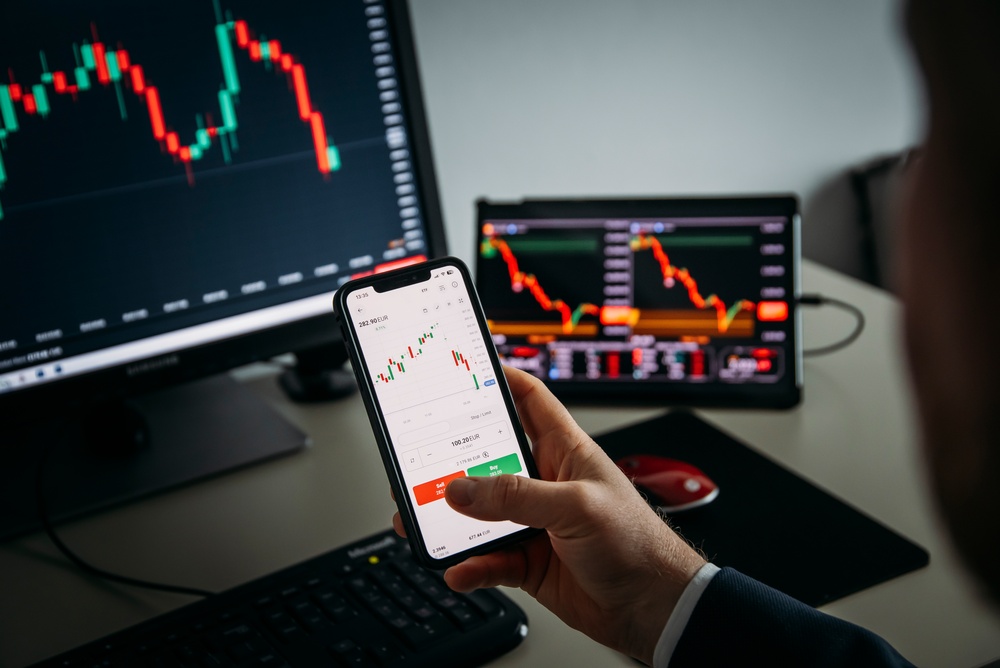
Mobile forex trading is the execution and management of forex and CFD positions through a trading application installed on a smartphone or tablet. A complete mobile trading platform allows traders to open and close positions, set and modify stop-loss and take-profit orders, view real-time price charts with technical indicators, access account statements and trade history, monitor the economic calendar for upcoming market-moving events, and contact customer support, all from a handheld device connected to the internet.
Why Mobile Trading Has Become Central to Forex in 2026
The forex market generates over $7.5 trillion in daily trading volume across sessions in Sydney, Tokyo, London, and New York. This 24-hour structure means that significant market movements can occur at any time, including during hours when a trader is away from their desktop. The practical reality of the 24-hour market has always created a gap between desktop trading sessions and market activity, and mobile trading closes that gap.
Three specific developments have made mobile trading central to retail forex participation in 2026:
24-Hour Market Alignment: The ability to monitor and manage positions across all four forex trading sessions without being anchored to a desktop enables traders to respond to market developments in real time regardless of time zone or location.
Economic Event Access: High-impact economic releases such as Non-Farm Payrolls, central bank rate decisions, and CPI reports occur on fixed schedules that do not align with every trader’s desktop availability. Mobile access to the economic calendar and position management ensures these events do not catch traders unable to act.
Lifestyle Integration: The professional and personal realities of most retail traders involve time away from a fixed workstation. Mobile trading integrates with these realities rather than requiring traders to structure their day around desktop access.
The critical distinction that this guide addresses throughout is the difference between mobile trading as a genuine extension of a complete trading environment and mobile trading as a degraded, limited fallback that compromises analytical capability and risk management. The quality of a broker’s mobile platform directly determines which category it falls into.
What a Mobile Forex Platform Must Deliver
Not all mobile trading applications are equal. The minimum standard for a mobile platform to be genuinely useful for active forex trading in 2026 is demanding.
Real-Time Pricing and Execution
The mobile platform must display the same live bid/ask prices as the desktop platform with zero delay. Price discrepancies between mobile and desktop are a documented characteristic of lower-quality platforms and create execution disadvantages for mobile traders. On Fintana’s mobile app, prices are sourced from the same live market data feed as the WebTrader, ensuring identical pricing across all devices.
Complete Order Types
A mobile platform that only supports market orders is insufficient for disciplined risk management. The platform must support market orders, limit orders, stop-loss orders, take-profit orders, and trailing stop-loss orders with the same configurability available on desktop. Every risk management tool available on Fintana’s WebTrader is accessible on the mobile app.
Full Instrument Access
Limiting mobile access to a subset of the available instruments creates artificial trading restrictions. Fintana’s mobile app provides access to all 160+ CFD instruments including forex majors, minors, and exotics, metals, indices, commodities, stocks, cryptocurrencies, energies, and futures, across all account tiers from Classic to VIP.
Charting with Technical Indicators
A mobile platform without charting capability reduces trading to price reading without context. The mobile app must provide interactive charts with multiple timeframes and access to the key technical indicators that support trading decisions. Fintana’s mobile app includes charting with the essential technical indicator suite, enabling chart-based analysis on a mobile screen.
Account Management
Position monitoring, trade history, account balance, margin information, deposit and withdrawal functionality, and account statement access must all be available from the mobile platform. Incomplete account management functionality creates dependence on desktop for administrative tasks that should be accessible from any device.
Security Infrastructure
Mobile trading security requires biometric authentication options, encrypted data transmission, and session management that protects account access if a device is lost or compromised. These security features are covered in detail in the security section below.
Fintana’s Mobile App: Features and Capabilities
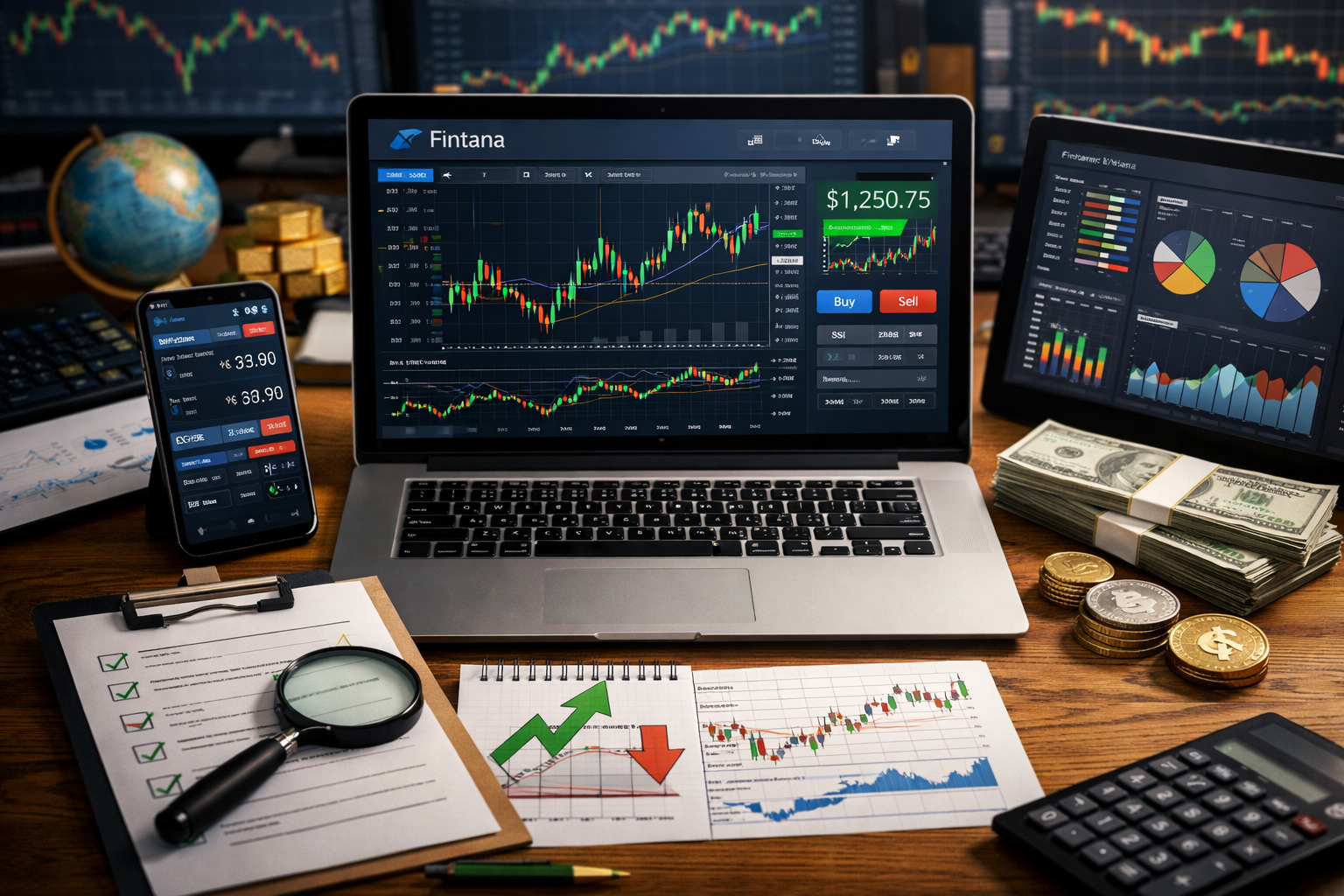
Fintana’s mobile trading application is available for iOS and Android devices and is designed to mirror the full WebTrader environment on a mobile-optimized interface.
Instruments and Markets
All 160+ CFD instruments available on the desktop WebTrader are accessible through Fintana’s mobile app. Traders can switch between forex pairs, metals, indices, commodities, stock CFDs, cryptocurrencies, energies, and futures within the same session, maintaining the full diversification capability of the complete platform.
Spreads and Pricing
Fintana’s transparent spread structure applies identically on mobile and desktop. A Classic account trader accessing EUR/USD on the mobile app sees the same spread from 2.5 pips as on the desktop WebTrader. VIP account spreads from 0.9 pips are equally accessible on mobile. There is no mobile-specific pricing premium or spread widening applied to mobile execution.
Order Execution and Management
The mobile app supports the full order type suite: market orders for immediate execution, limit orders for entry at specified price levels, stop-loss orders for risk management, take-profit orders for profit targeting, and trailing stop-loss orders for trend-following position management. All orders placed from mobile appear immediately in the position management interface and are managed identically to desktop-placed orders.
Charts and Technical Analysis
Fintana’s mobile app provides interactive candlestick charts with multiple timeframe options. The essential technical indicator suite including moving averages, RSI, MACD, Bollinger Bands, and ATR is accessible on the mobile charting interface. While the smaller screen of a smartphone creates practical limitations for complex multi-indicator analysis, the mobile charting capability is sufficient for monitoring active positions and identifying key levels relative to current price.
Economic Calendar Integration
The integrated economic calendar is accessible from Fintana’s mobile app, showing upcoming high-impact events with impact ratings, consensus forecasts, and previous figures. Real-time actual figure updates appear in the mobile calendar as events release, enabling immediate comparison with forecasts without switching to a browser.
Account and Portfolio Overview
The mobile app provides a live account summary showing current balance, equity, used margin, free margin, and open position profit/loss in real time. This portfolio overview is the primary mobile use case for many traders who use desktop for detailed analysis and mobile for monitoring and adjustment.
Trading Central on Mobile
The AI-powered signal analysis from Trading Central is accessible through Fintana’s mobile platform, providing technical analysis signals and directional consensus for available instruments. This allows traders to access analytical support beyond their own chart analysis from any location.
Deposit and Withdrawal
Fintana’s mobile app includes account funding and withdrawal functionality, allowing traders to manage their account capital without requiring desktop access.
How to Get Started with Mobile Trading on Fintana
Step 1: Download the Fintana Mobile App
The Fintana mobile app is available for download from the Apple App Store for iOS devices and Google Play Store for Android devices. Search for “Fintana” to locate and download the official application.
Step 2: Log In with Your Fintana Account Credentials
Use your existing Fintana account login credentials to access the mobile app. All account data including open positions, trade history, account balance, and account settings synchronize automatically from the web platform. There is no separate mobile account registration required for existing Fintana account holders.
Step 3: Enable Security Features
Upon first login, configure the available security features including biometric authentication (fingerprint or face recognition) if supported by your device. This adds a security layer that prevents unauthorized access if the device is lost or left unattended.
Step 4: Familiarize with the Mobile Interface
Before placing live trades from the mobile platform, spend time navigating the interface to locate the key sections: the instruments list, the charting interface, the open positions panel, the order placement screen, the economic calendar, and the account summary. Familiarity with the mobile navigation reduces execution errors during live trading sessions.
Step 5: Practice on the Demo Account
Fintana’s demo account is accessible from the mobile app and is identical to the live trading environment. Practicing order placement, stop-loss configuration, and position management on the mobile demo account before switching to live trading from mobile ensures the mechanics are familiar before real capital is at risk.
Executing Trades on Mobile: Step by Step
Opening a New Position from Mobile
- From the main screen, navigate to the instruments list
- Select the instrument (e.g., EUR/USD)
- Review the current bid/ask price and spread
- Tap the Buy or Sell button to open the order entry screen
- Enter the position size in lots
- Configure the stop-loss level (price or pip distance from entry)
- Optionally configure a take-profit level
- Review the order summary: instrument, direction, size, entry price, stop-loss level, maximum potential loss
- Tap Confirm to execute the order
Modifying an Existing Position from Mobile
- Navigate to the open positions panel
- Tap the position to view its details
- Select the modify option
- Adjust the stop-loss or take-profit level as required
- Confirm the modification
Closing a Position from Mobile
- Navigate to the open positions panel
- Tap the position to view its details
- Select the close option
- Confirm the closure
All three actions, opening, modifying, and closing positions, are designed for single-handed operation on the mobile interface and require minimal screen interactions to complete. This streamlined execution is particularly important when rapid position management is required in response to market developments.
Managing Open Positions from Your Phone
The most common mobile trading use case for active forex traders is not opening new positions but monitoring and managing positions opened on desktop. The following position management tasks are fully supported on Fintana’s mobile app:
Real-Time P&L Monitoring: The open positions panel displays the current profit or loss for each position in real time, updating continuously as prices move.
Stop-Loss Adjustment: Moving a stop-loss to lock in profit as a position moves favorably (manual trailing) or to adjust for changed market conditions is a single-tap operation from the position details screen.
Partial Close: Closing a portion of an open position to take partial profit while maintaining exposure is supported from the mobile interface.
Position Review: Reviewing the entry price, current price, pip movement, position size, and margin usage of each open position is available from the positions panel without requiring a chart.
Alert Management: Reviewing and responding to price alerts and news notifications from within the mobile app is part of the active position management workflow.
Risk Management on Mobile: Critical Considerations
Mobile trading introduces specific risk management challenges that desktop trading does not present. Understanding and managing these challenges is as important as understanding the platform’s analytical capabilities.
Challenge 1: Connectivity Risk
Mobile internet connections are inherently less reliable than wired desktop connections. A connectivity interruption while managing an open position in volatile conditions is a genuine risk that mobile traders must plan for.
Mitigation: Always have a stop-loss order active on every position before switching to mobile monitoring. A stop-loss order on Fintana’s platform remains active regardless of the trader’s connection status, ensuring the position is protected even if the mobile connection drops. Do not rely on manual intervention through a mobile app as the primary risk management mechanism for any open position.
Challenge 2: Reduced Analytical Capability
The smaller screen of a smartphone limits the complexity of technical analysis that can be effectively conducted during mobile trading sessions. Multi-indicator analysis across multiple timeframes that is straightforward on a large desktop monitor is cumbersome on a phone screen.
Mitigation: Use the mobile platform primarily for monitoring and adjustment of positions established through full desktop analysis. Avoid opening new positions based solely on mobile chart analysis for complex setups. Reserve the mobile platform’s charting for simple level monitoring: checking whether the price is near a key support/resistance level, verifying the stop-loss position, and reviewing the current trend direction.
Challenge 3: Impulsive Trading Risk
The constant availability of a mobile trading app creates a specific behavioral risk: the temptation to trade impulsively at any moment, including during social situations, commutes, or other distracting environments where analytical quality is reduced.
Mitigation: Apply the same analytical standards to mobile-initiated trades as to desktop trades. If a setup does not meet the criteria of the established trading plan when analyzed on desktop, it should not be entered on mobile simply because the platform is in hand. Consider establishing a personal rule that new position entries require review on the larger desktop screen before execution.
Challenge 4: Notification Overload
Mobile trading apps generate notifications for price movements, news events, and platform updates. Excessive notifications create distraction and anxiety rather than informed awareness.
Mitigation: Configure mobile notifications selectively. Set price alerts for specific levels that require action rather than enabling generic movement notifications. Filter economic calendar notifications to high-impact events affecting open positions only.
The Stop-Loss Rule for Mobile Trading
The most important risk management rule for mobile trading is simple and absolute: every position that will be monitored primarily from a mobile device must have an active stop-loss order configured before the trader steps away from the desktop. This rule ensures that connectivity issues, device failure, or distraction cannot result in an unprotected position experiencing an unlimited loss. Fintana’s stop-loss functionality operates server-side, meaning it remains active and functional regardless of whether the trader’s device is connected.
Using Technical Analysis Tools on a Mobile Screen
Technical analysis on a mobile screen requires a different approach than desktop analysis. The following framework makes mobile charting effective within its practical constraints.
Focus on Key Levels Rather Than Complex Patterns
On a mobile screen, identify and monitor the two or three price levels that matter most for your open position: the stop-loss level, the nearest support or resistance, and the take-profit target. These three reference points are the essential information for position management and are clearly visible even on a small screen.
Use the Single-Indicator Approach
Rather than applying multiple overlapping indicators to a mobile chart, identify the one indicator most relevant to the current position’s management. For trend-following positions, a single moving average (20 or 50 period) provides the essential trend context. For momentum monitoring, RSI alone provides the overbought/oversold context needed for position management decisions.
Default to the Daily or 4-Hour Timeframe
Larger timeframes are more legible on smaller screens and provide the contextually important levels without requiring the granular tick-level analysis that smaller screens make difficult. The daily chart shows the major support and resistance levels, and the 4-hour chart shows the intraday structure. Both are appropriate for active position monitoring from mobile.
Use Candlestick Color as a Quick Context Signal
On Fintana’s mobile charting interface, the color of the most recent candlestick provides an immediate directional signal without requiring detailed pattern analysis. A series of bullish (green) candles confirms momentum in the long direction. A series of bearish (red) candles confirms the opposite. This simple visual confirmation supplements the key level monitoring approach.
The Economic Calendar on Mobile
The economic calendar is arguably the most critical tool for risk management around scheduled market-moving events, and its mobile accessibility is therefore particularly important.
Pre-Event Position Review
Before any high-impact economic event affecting an open position, the mobile economic calendar allows traders to:
- Verify the exact release time in their local time zone
- Review the consensus forecast and previous figure
- Assess the expected volatility impact
- Decide whether to adjust or close the position before the release
This pre-event review workflow is fully executable from the mobile app, enabling traders who are away from their desktop to make informed position management decisions before scheduled volatility events.
Real-Time Release Monitoring
When a high-impact event releases, the mobile economic calendar updates with the actual figure in real time. For a trader monitoring an open EUR/USD position during NFP release while away from their desk, the mobile calendar provides the actual versus forecast comparison immediately, enabling an informed decision about whether to close, maintain, or adjust the position based on the surprise direction.
Calendar Filtering on Mobile
The economic calendar in Fintana’s mobile app can be filtered by currency and impact level, displaying only the events relevant to the trader’s open positions. On a mobile screen, this filtering is particularly important for reducing cognitive load during active trading sessions.
Notifications and Alerts: Staying Informed on the Go
Price Alerts
Fintana’s mobile platform supports configurable price alerts that notify the trader when a specific price level is reached. Setting a price alert for a key resistance level above an open long position, or for a support level that, if broken, would require stop-loss review, keeps the trader informed of critical price developments without requiring constant chart monitoring.
Economic Event Reminders
The economic calendar integration includes event reminder notifications that can be configured to alert traders a specified time before high-impact releases affecting their open positions. A 30-minute pre-event notification creates a window for the position review and adjustment workflow described above.
Position P&L Notifications
Traders can configure notifications for position profit or loss reaching specified thresholds, providing automatic awareness when a position has moved significantly without requiring constant monitoring.
Notification Configuration Best Practices
The value of notifications depends entirely on their selectivity. A trader who enables every available notification type will quickly experience notification fatigue, where important alerts are missed in a stream of low-priority updates. The recommended configuration is:
- Price alerts: Only for specific structural levels relevant to open positions
- Calendar alerts: Only for high-impact events affecting open instruments
- P&L alerts: Only for thresholds that require action, not routine progress monitoring
- System notifications: Security alerts and account status changes only
Mobile Trading Security: Protecting Your Account
Mobile trading security is a dimension of risk management that many traders underestimate. A compromised mobile trading account can result in unauthorized position changes or fund withdrawals that are difficult to reverse.
Biometric Authentication
Enable fingerprint or facial recognition authentication for Fintana’s mobile app if your device supports these features. Biometric authentication provides a security layer that prevents unauthorized access more effectively than PIN-based security alone, particularly in situations where the device is briefly unattended.
Auto-Lock Configuration
Configure your device to lock automatically after a short period of inactivity, particularly when using a trading app with open positions. A 30-second or one-minute auto-lock interval balances security against the inconvenience of frequent re-authentication during active trading sessions.
Public Wi-Fi Precautions
Avoid accessing your Fintana trading account on unsecured public Wi-Fi networks. If mobile data is unavailable and public Wi-Fi is the only option, using a VPN adds an encryption layer that protects the data transmission between the app and Fintana’s servers.
Device Loss Protocol
If your mobile device is lost or stolen while the trading app is open:
- Contact Fintana customer support immediately via phone or another device
- Request a password reset and session termination for the compromised device
- Review open positions and ensure stop-loss orders are active
- Change your account password from a secure device
Fintana’s 24/7 customer support is available for exactly these situations, providing immediate assistance with account security when a device compromise is suspected.
App Source Verification
Only download the Fintana mobile app from the official Apple App Store or Google Play Store. Fraudulent forex trading apps that impersonate legitimate regulated brokers are a documented fraud vector, particularly targeting traders who search for broker apps through search engines rather than official app stores. Verifying that the downloaded app is from the official Fintana publisher reduces this risk.
Common Mobile Trading Mistakes and How to Avoid Them
Mistake 1: Trading Without a Pre-Set Stop-Loss
The most dangerous mobile trading behavior is monitoring positions from a mobile device without having first set stop-loss orders on those positions. If the mobile connection drops, the device battery dies, or the device is lost, an unprotected position has no automated risk limit. Every position monitored from mobile must have an active stop-loss order.
Mistake 2: Opening New Complex Positions from Mobile Charts
Initiating positions based on multi-indicator analysis conducted on a mobile chart introduces additional analytical error risk from the screen size limitation. Complex setups should be analyzed on desktop and, if they still meet the trading plan criteria after full analysis, can be executed from mobile if the trader is away from their desk.
Mistake 3: Trading During High-Distraction Situations
Executing trades while distracted by social situations, physical activity, or other demanding tasks significantly degrades decision quality. The mobile platform’s constant availability creates the temptation to trade in these conditions. Reserve active trading execution for periods of focused attention, even when using a mobile device.
Mistake 4: Ignoring the Economic Calendar While Mobile Trading
The economic calendar is just as important on mobile as on desktop. Entering a new position on mobile without checking the economic calendar for upcoming high-impact events affecting the chosen instrument is a risk management failure regardless of the device being used.
Mistake 5: Not Testing the Mobile Platform Before Needing It
Discovering that you are unfamiliar with the mobile trading interface while needing to make an urgent position adjustment is a preventable problem. Spending time familiarizing with and testing the mobile platform during normal conditions ensures it is available as a reliable tool when needed urgently.
When to Trade on Mobile vs. Desktop
Understanding which trading activities are best suited to each device environment improves both analytical quality and risk management outcomes.
Desktop Is Better For
Detailed Entry Analysis: Multi-timeframe analysis with multiple indicators, pattern identification, and setup evaluation requiring large-screen chart detail.
New Position Sizing Calculations: Using the position sizing calculator with precise stop-loss distance and risk percentage inputs.
Strategy Review and Journal Update: Post-trade analysis and journal maintenance are best conducted with the full account history and charting environment visible.
Complex Order Management: Setting up multiple conditional orders with precise price levels requires the larger interface for accuracy.
Economic Data Research: Reviewing the full economic calendar context, reading accompanying commentary, and researching the historical impact of a specific data release benefits from the desktop environment.
Mobile Is Better For
Active Position Monitoring: Checking current P&L, verifying stop-loss positions, and reviewing price relative to key levels while away from desktop.
Stop-Loss Adjustments on Moving Positions: Trailing the stop-loss manually as a position moves favorably is a single-tap action on mobile and is time-sensitive enough to benefit from mobile accessibility.
Pre-Event Position Review: Checking the economic calendar and reviewing open position exposure before scheduled high-impact events while away from desk.
Urgent Position Closure: Closing a position in response to unexpected news or market developments when desktop access is not available.
Account Monitoring: Reviewing overall portfolio exposure, account equity, and margin usage while away from desk.
| Trading Activity | Preferred Device | Reason |
| New position setup and analysis | Desktop | Full charting and indicator suite |
| Position sizing calculation | Desktop | Precision and full context |
| Stop-loss adjustment on moving position | Mobile | Speed and accessibility |
| Active P&L monitoring | Mobile | Location independence |
| Economic calendar pre-event review | Either | Fully functional on mobile |
| Complex multi-indicator analysis | Desktop | Screen size limitation on mobile |
| Urgent position closure | Mobile | Speed when desktop unavailable |
| Post-trade journal entry | Desktop | Full account context available |
How Mobile Platform Quality Connects to Broker Legitimacy
The quality and reliability of a broker’s mobile trading platform is a direct indicator of the broker’s operational infrastructure and regulatory compliance posture.
What Legitimate Brokers Provide
Legitimate regulated brokers like Fintana invest in mobile platforms that deliver the complete trading environment with consistent pricing, full order type support, and reliable connectivity. These platforms are available through official app stores with verifiable publisher details, receive regular updates addressing security vulnerabilities, and integrate with the broker’s regulated account infrastructure.
What Fraudulent Platforms Provide
Fraudulent forex operations, including many documented in forex broker scam warning publications, Swiss consumer warning broker listings, and cybercrime forex broker warning reports, frequently use poorly built or counterfeit mobile applications that create systematic disadvantages for users. Common patterns include:
Price Feed Manipulation on Mobile: Some fraudulent platforms apply different pricing on mobile versus desktop, creating execution disadvantages that are difficult for the trader to detect without side-by-side comparison.
Withdrawal Blocking Through Mobile: Withdrawal problems scam operations frequently make the withdrawal request process deliberately difficult or non-functional through their mobile interface, while making deposits easy. This asymmetry creates a one-way flow of funds into the platform.
Fake App Distribution: Counterfeit trading apps impersonating regulated brokers have been distributed through third-party app stores and search engine advertisements, collecting login credentials and account access from traders who believe they are using a legitimate platform.
Traders who have searched for “Fintana scam”, “Is Fintana legit”, or “Fintana.com safe or scam” can evaluate mobile platform legitimacy directly: Fintana’s mobile app is available through official app stores, delivers consistent pricing with the desktop WebTrader, supports full order management including withdrawal requests, and operates under FSC Mauritius license GB23201338 across all platform channels.
Fintana Regulation and Company Overview
Fintana Trading Ltd is authorized and regulated by the Financial Services Commission (FSC) of Mauritius under license number GB23201338. The FSC Mauritius is the integrated regulator for financial services in Mauritius, overseeing investment dealers, fund managers, and securities trading operations.
| Detail | Information |
| Company Name | Fintana Trading Ltd |
| Registration Number | 197666 |
| Regulatory Authority | Financial Services Commission (FSC) Mauritius |
| License Number | GB23201338 |
| Payment Processor | Velmara Ltd, Limassol, Cyprus |
| Registered Address | 6th Floor, Tower 1, Nexteracom Building, Ebene, Mauritius |
| Minimum Deposit | $250 |
| Mobile App | Available on iOS and Android |
| Instruments on Mobile | Full 160+ CFD instrument access |
| Commission | Zero on all accounts |
Client funds are maintained in segregated accounts, entirely separate from company operational capital. All accounts include negative balance protection, PCI DSS-compliant payment processing, and a formal complaint escalation pathway to the FSC Mauritius. Traders can verify Fintana’s regulatory status independently at fscmauritius.org.
Fintana Customer Support and Educational Resources
Fintana customer support operates 24/7 with multilingual assistance, accessible from both desktop and mobile devices. For a trader who encounters a technical issue with the mobile platform, needs guidance on stop-loss placement mechanics while away from desktop, or has an account security concern following a device loss, the support team is available through the mobile app’s built-in support interface as well as through phone and email at any hour.
Fintana’s Education Center provides structured learning that is accessible from mobile browsers and covers the full curriculum from technical analysis basics through to advanced risk management frameworks. The mobile accessibility of educational resources means that time away from the desktop can be productively used for learning development between active trading sessions.
| Support and Education Resource | Mobile Application |
| Customer Support 24/7 | Accessible via mobile app and phone at any hour |
| Education Center | Mobile browser accessible for learning between sessions |
| Trading Central | Available within mobile app for analytical signals |
| Economic Calendar | Fully integrated in mobile app with real-time updates |
| Demo Account | Accessible from mobile app for practice |
| Price Alerts | Configurable from mobile with push notifications |
| Account Statements | Full account history accessible from mobile |
| Deposit/Withdrawal | Fully functional from mobile platform |
Important Risk Disclosure
CFDs are complex instruments and carry a high risk of losing money rapidly due to leverage. The majority of retail investor accounts lose money when trading CFDs. Mobile trading introduces additional risk factors including connectivity interruptions, reduced analytical capability on smaller screens, and the potential for impulsive trading in distracted environments. Stop-loss orders should always be active on positions monitored from mobile devices to ensure risk management continuity if connectivity is interrupted. The information in this article is for educational and informational purposes only and does not constitute investment advice or a recommendation to trade any specific instrument or strategy.
Conclusion
Mobile forex trading in 2026 is not a compromise of the full trading experience. It is a genuinely capable extension of it, provided the mobile platform delivers the complete analytical toolkit, full order management functionality, and reliable pricing infrastructure that professional risk management requires. The distinction between a mobile platform that enables complete trading and one that provides a degraded experience is the difference between genuine location independence and a false sense of market access.
Fintana’s mobile app delivers the full 160+ instrument universe, transparent spread structure identical to the desktop WebTrader, complete stop-loss and take-profit order functionality, integrated economic calendar with real-time updates, Trading Central AI signal access, and full account management from iOS and Android devices. This infrastructure means the risk management framework that works on desktop works identically on mobile.
The practical framework in this guide, from understanding what mobile trading must deliver to knowing when to use mobile versus desktop, configuring notifications selectively, following mobile security best practices, and applying the absolute rule of stop-loss orders on all mobile-monitored positions, gives every Fintana trader the foundation for effective, disciplined trading from any location.
For traders who have asked “Is Fintana legit?”, the mobile platform’s consistency with the desktop environment, FSC Mauritius regulation under GB23201338, and app availability through official channels provide the same verifiable answer that every other dimension of the platform delivers.
Ready to Trade Forex from Anywhere? Download Fintana’s Mobile App Today
For traders ready to extend their forex trading activity to every location with internet access, Fintana’s mobile app provides the complete trading environment from a $250 minimum deposit. Download the app from the Apple App Store or Google Play Store, log in with your existing Fintana credentials, and access the full platform from any device at www.fintana.com/en/